


Hey there! As a supplier of smart mobile TVs, I often get asked a bunch of questions from tech - savvy folks and regular consumers alike. One question that pops up quite a bit is, "Can I use a mouse and keyboard with a smart mobile TV?" Well, let's dive right into it and find out.
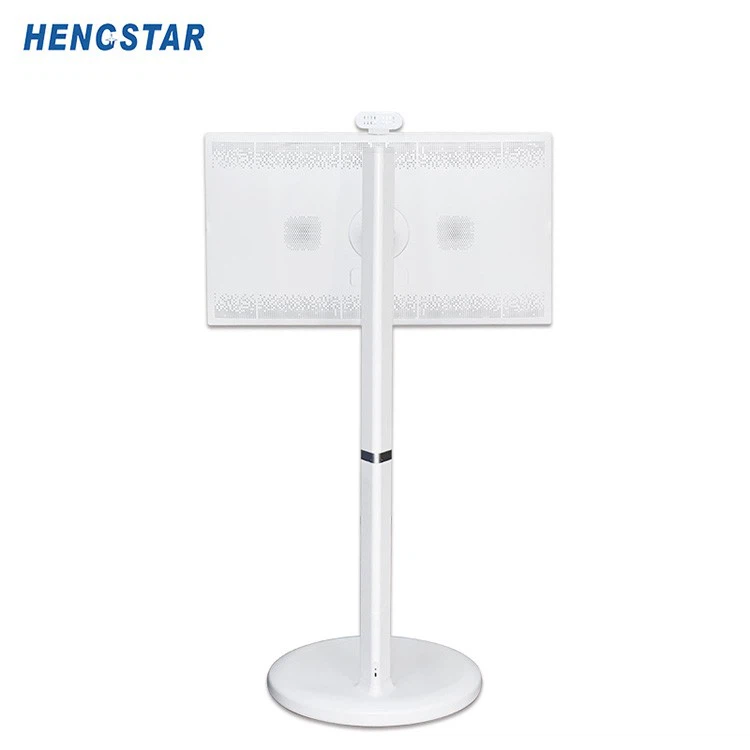
First off, let's talk about what a smart mobile TV is. It's not your typical old - school TV. These smart mobile TVs are sleek, portable, and come with built - in smart features. They can connect to the internet, stream your favorite shows, and even run apps. For instance, our 32 Inch Smart Mobile TV is a real gem. It's got a great display, is easy to move around, and offers a whole world of entertainment at your fingertips.
Now, back to the main question. The short answer is yes, you can use a mouse and keyboard with a smart mobile TV. Most modern smart mobile TVs support external input devices like mice and keyboards. There are a few reasons why you might want to do this.
For one, it can make navigating the TV's interface a whole lot easier. Using a remote control to move around menus and select options can be a bit of a pain, especially if you're trying to type something. With a keyboard, you can quickly enter text for searches, logins, or when you're using apps that require text input. And a mouse gives you precise control over the on - screen cursor, making it simpler to click on different icons and links.
Let's say you're using a web browser on your smart mobile TV. Typing a long URL on a remote control's tiny keypad is just a nightmare. But with a keyboard, you can type it in no time. And once you're on the page, a mouse lets you click on different elements, scroll through the page, and interact with web - based content just like you would on a computer.
Another reason is for gaming. Many smart mobile TVs support gaming apps, and using a mouse and keyboard can significantly enhance your gaming experience. You'll have more precise control over your character's movements, actions, and aiming, which can give you an edge in competitive games.
So, how do you connect a mouse and keyboard to your smart mobile TV? Well, it's usually pretty straightforward. Most smart mobile TVs have USB ports. All you need to do is plug your wired mouse and keyboard into these USB ports. The TV should automatically detect the devices, and you're good to go.
If you prefer a wireless setup, that's also an option. Wireless mice and keyboards typically come with a USB receiver. Just plug the receiver into the TV's USB port, and pair the mouse and keyboard with the receiver following the manufacturer's instructions. It might take a few minutes to get everything set up, but once it's done, you'll have a clutter - free and convenient way to use these input devices.
However, there are a few things to keep in mind. Not all apps on your smart mobile TV will support mouse and keyboard input. Some apps are designed specifically to be used with a remote control or touch - screen interface. So, you might run into situations where the mouse and keyboard don't work as expected or aren't supported at all.
Also, the performance can vary depending on the TV's hardware and software. Older models might not handle external input devices as well as newer ones. Sometimes, you might experience a bit of lag or delay, especially if the TV is running multiple apps or processes at the same time.
But overall, if your smart mobile TV is relatively new and has decent specs, you should have a smooth experience using a mouse and keyboard.
Now, if you're thinking about getting a smart mobile TV and want to use a mouse and keyboard with it, our range of products is definitely worth considering. Our smart mobile TVs are designed with the latest technology to ensure seamless compatibility with external input devices. Whether you're a casual user who wants to make it easier to navigate the TV's interface or a gamer looking for a better gaming experience, our TVs can meet your needs.
We've put a lot of effort into making sure that our smart mobile TVs are user - friendly and offer a wide range of features. The 32 Inch Smart Mobile TV is just one example of our high - quality products. It's got a sharp display, fast processing speed, and excellent connectivity options, making it perfect for using with a mouse and keyboard.
If you're interested in learning more about our smart mobile TVs or want to discuss a potential purchase, don't hesitate to reach out. We're here to answer all your questions and help you find the perfect TV for your needs. Whether you're an individual looking for a great entertainment device for your home or a business in need of a reliable display solution, we've got you covered.

In conclusion, using a mouse and keyboard with a smart mobile TV is not only possible but can also greatly enhance your overall experience. With the right setup and a compatible TV, you can enjoy the convenience and precision that these input devices offer. So, why not give it a try?
References
- General knowledge about smart mobile TV technology and user - device compatibility.
- Product specifications of our smart mobile TV range.