


As a meeting tablet supplier, I often get asked about the features and capabilities of our devices. One question that comes up quite frequently is whether meeting tablets support gesture control. In this blog post, I'll dive into this topic, exploring what gesture control is, how it works on meeting tablets, and the benefits it brings to the table.
What is Gesture Control?
Gesture control is a technology that allows users to interact with a device using physical gestures instead of traditional input methods like keyboards, mice, or touchscreens. These gestures can include swiping, pinching, tapping, and waving. The idea behind gesture control is to make the interaction with devices more intuitive and natural, mimicking the way we interact with the physical world.
In the context of meeting tablets, gesture control can enhance the meeting experience by providing a more engaging and interactive way to present, collaborate, and navigate through content. For example, you can use a simple swipe gesture to advance slides during a presentation, or a pinch gesture to zoom in on a particular area of a document.

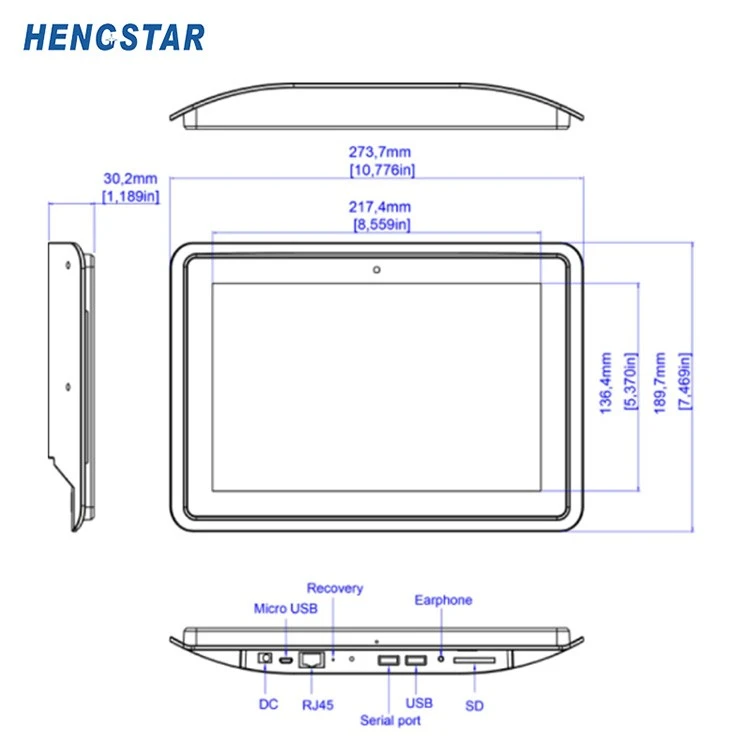
How Does Gesture Control Work on Meeting Tablets?
Meeting tablets that support gesture control are equipped with sensors and cameras that can detect and interpret human gestures. These sensors can track the movement of your hands, fingers, and even your entire body, allowing you to control the tablet's functions without physically touching the screen.
There are two main types of gesture control technologies used in meeting tablets:
-
Capacitive Touchscreen Gestures: Most modern meeting tablets have capacitive touchscreens that support multi-touch gestures. These gestures include pinching to zoom in or out, swiping left or right to navigate between pages, and tapping to select items. Capacitive touchscreen gestures are intuitive and easy to learn, making them a popular choice for meeting tablets.
-
Infrared or Depth Sensors: Some high-end meeting tablets are equipped with infrared or depth sensors that can detect gestures in the air. These sensors use infrared light or depth cameras to track the movement of your hands and fingers, allowing you to perform gestures without touching the screen. This type of gesture control is more advanced and can provide a more immersive and interactive experience.
Benefits of Gesture Control on Meeting Tablets
Gesture control offers several benefits for meeting tablets, making them a valuable tool for modern meetings. Here are some of the key advantages:
-
Enhanced Interaction: Gesture control allows users to interact with the meeting tablet in a more natural and intuitive way. Instead of using a keyboard or mouse, you can simply use your hands to control the tablet's functions, making the interaction more engaging and immersive.
-
Improved Collaboration: In a meeting setting, gesture control can facilitate collaboration by allowing multiple users to interact with the tablet simultaneously. For example, several people can use their hands to zoom in on a shared document or move objects around on the screen, making it easier to work together and share ideas.
-
Increased Productivity: Gesture control can help streamline the meeting process and increase productivity. With quick and easy gestures, you can navigate through presentations, access files, and perform other tasks without wasting time searching for buttons or menus.
-
Accessibility: Gesture control can make meeting tablets more accessible for people with disabilities or limited mobility. For example, individuals with motor impairments may find it easier to use gesture control than traditional input methods.
Our Meeting Tablets and Gesture Control
At our company, we offer a range of meeting tablets that support gesture control. Our Conference Room Door Tablet is designed to be mounted on the door of a conference room, providing a convenient way to manage room bookings and display meeting information. It features a large touchscreen with multi-touch gesture support, allowing you to easily navigate through the interface and perform tasks such as checking room availability and scheduling meetings.
Our Conference Room Tablet is a powerful device that can be used for presentations, collaboration, and communication in a conference room setting. It comes with a high-resolution touchscreen and advanced gesture control capabilities, enabling you to interact with the tablet using a variety of gestures. Whether you're presenting a slideshow, annotating a document, or sharing a video, our conference room tablet makes it easy to engage your audience and facilitate collaboration.
Our Tablet For Meetings is a versatile device that can be used for both in-person and remote meetings. It supports gesture control, allowing you to interact with the tablet in a natural and intuitive way. With its long battery life, high-performance processor, and built-in camera and microphone, our tablet for meetings is the perfect tool for staying connected and productive on the go.
Conclusion
In conclusion, gesture control is a valuable feature for meeting tablets, offering enhanced interaction, improved collaboration, increased productivity, and greater accessibility. At our company, we are committed to providing high-quality meeting tablets that support gesture control and other advanced features. If you're interested in learning more about our meeting tablets or would like to discuss your specific needs, please don't hesitate to contact us. We'd be happy to help you find the perfect solution for your meetings.
References
- "Gesture Control Technology: A Comprehensive Guide." TechTarget.
- "The Future of Meeting Tablets: Gesture Control and Beyond." Meeting Tech Today.