


As an LCD panel supplier, I'm often asked about the various features of our products, and one that frequently comes up is the burn-in protection feature. In this blog post, I'll delve into how this crucial feature works on an LCD panel.
Understanding Burn-In
Before we discuss how burn-in protection works, it's essential to understand what burn-in is. Burn-in, also known as image retention, occurs when a static image is displayed on an LCD panel for an extended period. Over time, the pixels that display this static image can become "trained" to show that particular pattern, resulting in a faint ghost image remaining on the screen even when a different image is being displayed. This can significantly degrade the visual quality of the display and reduce its lifespan.
Burn-in is a common concern in applications where static images are frequently displayed, such as in digital signage, industrial control panels, and medical monitors. For example, in a digital signage application, a logo or a price tag might be displayed in the same position on the screen for hours or even days at a time. Without proper burn-in protection, this can lead to permanent damage to the LCD panel.
How Burn-In Protection Works
There are several techniques used to implement burn-in protection on LCD panels, and most modern panels use a combination of these methods to ensure optimal performance.
Pixel Wiggling
One of the most common burn-in protection techniques is pixel wiggling. Pixel wiggling involves slightly moving the position of each pixel on the screen over time. By constantly changing the position of the pixels, the risk of any single pixel being exposed to a static image for too long is minimized.
Pixel wiggling is typically implemented at the firmware level. The LCD panel's controller continuously adjusts the position of the pixels by a few micrometers in a random or predefined pattern. This movement is so small that it is imperceptible to the human eye but is sufficient to prevent burn-in.
Screen Savers
Another effective way to prevent burn-in is by using screen savers. Screen savers are programs that display a moving or changing image on the screen when it is idle for a certain period. By replacing the static image with a dynamic one, screen savers reduce the risk of burn-in.
Most modern LCD panels come with built-in screen saver functionality. Users can customize the settings of the screen saver, such as the idle time before it activates and the type of image or animation it displays. Some screen savers even feature random patterns or colors to further reduce the risk of burn-in.
Automatic Brightness Adjustment
Automatic brightness adjustment is another important burn-in protection feature. This feature automatically adjusts the brightness of the LCD panel based on the content being displayed. When a static image is displayed, the brightness of the panel is reduced to minimize the stress on the pixels.
Automatic brightness adjustment is typically implemented using a light sensor. The sensor measures the ambient light in the environment and adjusts the brightness of the panel accordingly. By reducing the brightness of the panel when it is not necessary, the risk of burn-in is reduced, and the lifespan of the panel is extended.
Image Rotation
Image rotation is a technique used to prevent burn-in in applications where a static image is displayed in a fixed position for an extended period. This technique involves rotating the image on the screen by a certain angle at regular intervals.
Image rotation is typically implemented at the software level. The LCD panel's controller rotates the image by 90, 180, or 270 degrees at predefined intervals. By constantly changing the position of the image on the screen, the risk of burn-in is minimized.

Benefits of Burn-In Protection
Implementing burn-in protection on LCD panels offers several benefits for both users and manufacturers.
Improved Visual Quality
By preventing burn-in, the visual quality of the LCD panel is maintained over time. Users can enjoy a clear and sharp image without the distraction of ghost images or other artifacts. This is particularly important in applications where high-quality visuals are essential, such as in digital signage and medical monitors.
Extended Lifespan
Burn-in can significantly reduce the lifespan of an LCD panel. By implementing burn-in protection, the risk of burn-in is minimized, and the lifespan of the panel is extended. This can save users money in the long run by reducing the need for frequent panel replacements.
Enhanced Reliability
LCD panels with burn-in protection are more reliable and less likely to experience failures due to burn-in. This is particularly important in applications where downtime is costly, such as in industrial control panels and financial trading terminals.
Our LCD Panel Products with Burn-In Protection
As an LCD panel supplier, we offer a wide range of LCD panels with advanced burn-in protection features. Our panels are designed to meet the needs of various applications, from consumer electronics to industrial and medical equipment.
One of our popular products is the [Product Name], which features pixel wiggling, screen savers, automatic brightness adjustment, and image rotation. This panel is ideal for digital signage applications where static images are frequently displayed. With its advanced burn-in protection features, the [Product Name] ensures a long lifespan and high visual quality.
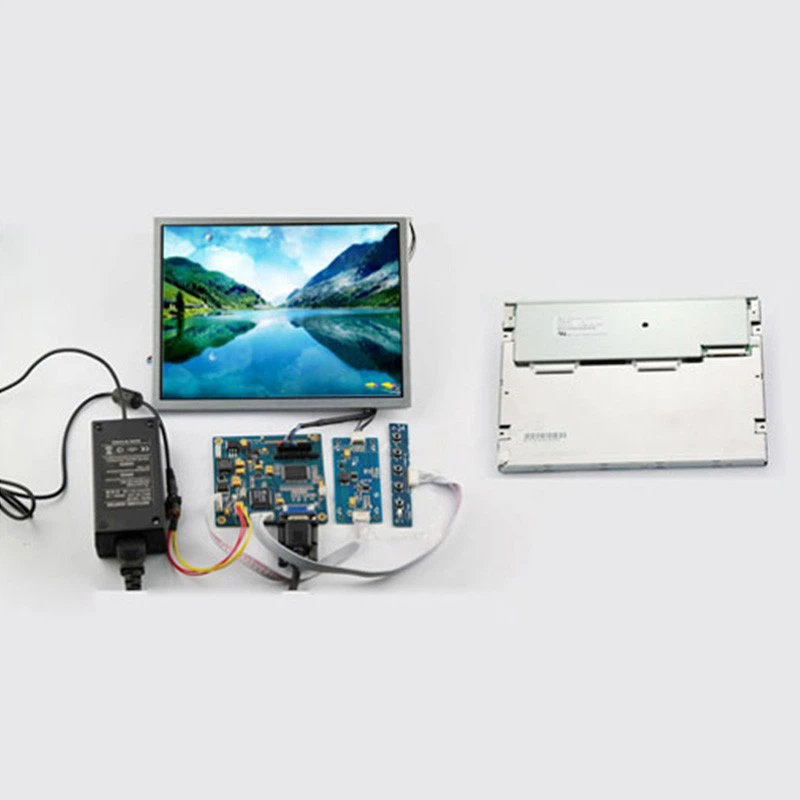
We also offer a range of LCD Panel Kits that come with everything you need to build your own LCD display. These kits include an LCD panel, a controller board, a power supply, and a backlight. They are easy to install and are suitable for both DIY enthusiasts and professional developers.
Contact Us for Purchasing
If you're interested in our LCD panel products or have any questions about burn-in protection, please don't hesitate to contact us. Our team of experts is always ready to assist you and provide you with the best solutions for your needs. Whether you're looking for a single LCD panel or a large quantity for a project, we can help you find the right product at the right price.
References
- "LCD Burn-In: What It Is and How to Prevent It." DisplayMate Technologies, 2023.
- "Burn-In Protection for LCD Displays." Electronics Notes, 2023.
- "How to Prevent Burn-In on Your LCD Monitor." Lifewire, 2023.