


As a provider of digital kiosks, I understand the importance of having the right storage options for these devices. Digital kiosks are powerful tools used in various settings, from retail stores and shopping malls to airports and museums. They need reliable storage solutions to ensure smooth operation, efficient data management, and long - term performance. In this blog, I'll explore the different storage options available for digital kiosks and help you make an informed decision.
Hard Disk Drives (HDDs)
Hard Disk Drives have been a traditional choice for data storage in many computing devices, including digital kiosks. HDDs use magnetic storage to store and retrieve data. They offer large storage capacities at a relatively low cost per gigabyte. For example, you can easily find HDDs with capacities ranging from 500GB to 8TB.
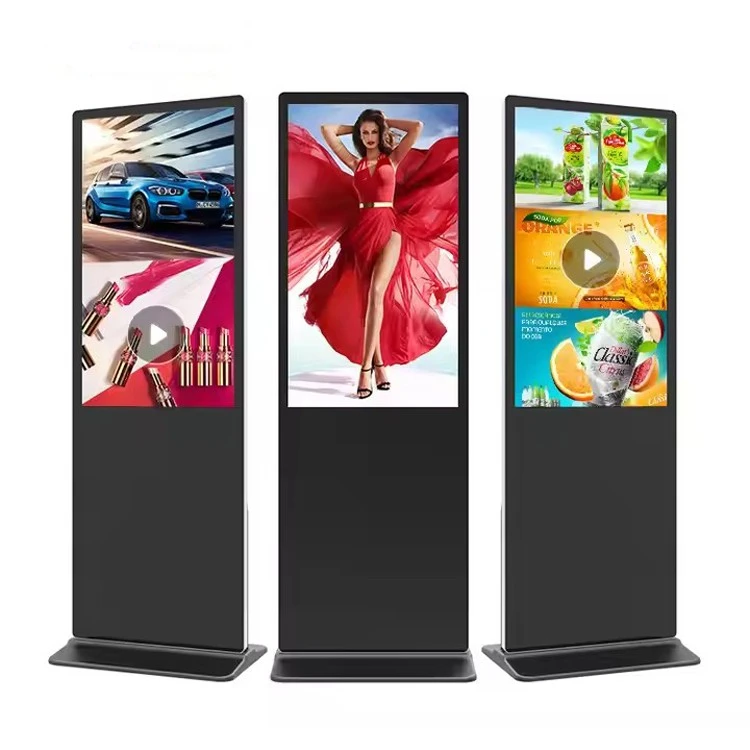
One of the main advantages of HDDs is their affordability. If your digital kiosk requires a large amount of storage for multimedia content such as high - resolution videos, images, and large databases, an HDD can be a cost - effective solution. For instance, a Floor Standing Digital Kiosk used in a large shopping mall to display promotional videos and product catalogs may benefit from the high - capacity storage of an HDD.
However, HDDs also have some drawbacks. They are mechanical devices, which means they have moving parts. These moving parts make them more susceptible to physical shock and vibration. In a busy public environment where the kiosk may be bumped or jostled, an HDD could potentially fail. Additionally, HDDs are generally slower than other storage options when it comes to data access and transfer speeds. This can lead to longer loading times for content on the kiosk, which may frustrate users.
Solid - State Drives (SSDs)
Solid - State Drives have gained popularity in recent years due to their superior performance compared to HDDs. SSDs use flash memory to store data, which means they have no moving parts. This makes them more durable and resistant to shock and vibration, making them ideal for digital kiosks in high - traffic areas.
SSDs offer significantly faster data access and transfer speeds than HDDs. This results in quicker boot times and faster loading of applications and content on the digital kiosk. For a 55 Inch Digital Kiosk Display that needs to display real - time information or interactive content, an SSD can provide a seamless user experience.
Another advantage of SSDs is their lower power consumption. This is important for digital kiosks, as they may be running 24/7. Lower power consumption not only reduces energy costs but also helps to keep the kiosk cool, which can extend the lifespan of other components.
However, SSDs are generally more expensive than HDDs, especially when it comes to high - capacity models. If your budget is limited and you need a large amount of storage, an SSD may not be the most cost - effective option.
Network - Attached Storage (NAS)
Network - Attached Storage is a storage solution that allows multiple devices, including digital kiosks, to access data stored on a shared network drive. NAS devices are connected to a local area network (LAN) and can be accessed by authorized users or devices within the network.
One of the main benefits of NAS for digital kiosks is the ability to centralize data storage. This makes it easier to manage and update content across multiple kiosks. For example, if you have a chain of retail stores with digital kiosks, you can store all the product information, promotional materials, and software updates on a single NAS device. Then, any changes or updates can be easily pushed to all the kiosks simultaneously.
NAS also offers scalability. You can easily add more storage capacity to the NAS device as your data needs grow. Additionally, many NAS devices come with built - in data protection features such as RAID (Redundant Array of Independent Disks), which can help prevent data loss in case of a drive failure.
However, NAS requires a reliable network connection. If the network goes down, the kiosks may not be able to access the stored data. Also, setting up and managing a NAS device can be more complex than using a local HDD or SSD, especially for those without technical expertise.
Cloud Storage
Cloud storage is another option for digital kiosks. With cloud storage, data is stored on remote servers maintained by a cloud service provider. The kiosk can access this data over the internet.
One of the biggest advantages of cloud storage is its flexibility. You can access your data from anywhere with an internet connection, which is useful if you need to manage and update the kiosk's content remotely. Cloud storage also offers virtually unlimited scalability. You can increase or decrease your storage capacity as needed, paying only for the amount of storage you use.
Cloud storage providers typically offer high - level data security and backup services. They have multiple data centers in different locations, which helps to protect your data from disasters such as floods, fires, or earthquakes. Additionally, they often have advanced encryption and access control measures to ensure the privacy and security of your data.
However, like NAS, cloud storage requires a reliable internet connection. If the internet connection is slow or unstable, it can affect the performance of the kiosk. Also, there may be concerns about data privacy and compliance, especially if the kiosk stores sensitive customer information.
Choosing the Right Storage Option
When choosing a storage option for your digital kiosk, you need to consider several factors. First, think about your storage capacity requirements. If you need to store a large amount of multimedia content or a large database, an HDD or NAS may be a good choice. If you prioritize speed and performance, an SSD or cloud storage may be more suitable.
Next, consider the environment in which the kiosk will be used. If the kiosk will be in a high - traffic area with a lot of physical movement, an SSD may be better due to its durability. If the kiosk is part of a networked system with multiple devices, NAS or cloud storage can offer better data management capabilities.
Budget is also an important factor. HDDs are generally the most affordable option, while SSDs and cloud storage can be more expensive, especially for high - capacity requirements.
Finally, consider the level of technical expertise available for setup and maintenance. If you have a technical team on hand, more complex solutions like NAS or cloud storage may be manageable. If not, a local HDD or SSD may be a simpler option.
Conclusion
In conclusion, there are several storage options available for digital kiosks, each with its own advantages and disadvantages. As a digital kiosk provider, I recommend carefully evaluating your specific needs and requirements before making a decision. Whether you choose an HDD for its large capacity and affordability, an SSD for its speed and durability, NAS for centralized data management, or cloud storage for its flexibility and scalability, the right storage option can enhance the performance and functionality of your digital kiosk.

If you're interested in learning more about our digital kiosks and the storage options we offer, or if you're ready to start a procurement discussion, please feel free to reach out. We're here to help you find the perfect solution for your business.
References
- "Storage Technologies: A Comprehensive Guide", Tech Publications, 2023
- "Digital Kiosk Design and Implementation Best Practices", Kiosk Industry Journal, 2022
- "Cloud Storage: Benefits and Challenges", Cloud Computing Review, 2023