


Hey there! As a supplier of digital kiosks, I often get asked about the types of touchscreens these nifty devices use. Well, you're in luck because I'm about to break it all down for you.
First off, let's talk about resistive touchscreens. These have been around for a while and are still pretty popular in many digital kiosks. A resistive touchscreen is made up of two thin layers separated by a tiny gap. When you press on the screen, the two layers come into contact at that point, and the system can detect the location of the touch. It's like a little sandwich where the pressure from your finger or a stylus makes the two bread slices (layers) touch each other.
One of the big advantages of resistive touchscreens is their versatility. You can use your finger, a gloved hand, or even a stylus to interact with the screen. This makes them great for applications where users might be wearing gloves, like in industrial settings or outdoor kiosks during cold weather. They're also relatively inexpensive to produce, which is a plus for us suppliers and for businesses looking to install multiple kiosks.
However, resistive touchscreens do have some drawbacks. They're not as responsive as some other types, and they can get scratched easily over time. Also, they usually have a lower resolution compared to other touchscreen technologies, which means the images on the screen might not look as sharp.
Next up is the capacitive touchscreen. Capacitive touchscreens work by detecting changes in electrical charge. Your body naturally conducts electricity, and when you touch a capacitive screen, it disrupts the electrical field on the surface of the screen. The system then calculates the location of the touch based on this disruption.
Capacitive touchscreens are known for their high responsiveness and multi - touch capabilities. You can pinch to zoom, swipe, and perform other gestures just like on your smartphone or tablet. This makes the user experience much more intuitive and engaging. They also have a higher resolution, so the visuals on the screen look really crisp and clear.
But there are some limitations to capacitive touchscreens too. They usually require bare skin contact to work properly, so using them with gloves can be a challenge. And they tend to be more expensive than resistive touchscreens, which can be a factor for businesses on a tight budget.
Another type of touchscreen that's becoming more common in digital kiosks is the infrared touchscreen. Infrared touchscreens use an array of infrared light emitters and detectors around the edges of the screen. When you touch the screen, your finger or object blocks some of the infrared light beams, and the system can determine the location of the touch based on which beams are interrupted.
One of the great things about infrared touchscreens is their durability. They don't have any layers that can be scratched or damaged like resistive touchscreens, and they're not affected by dust, water, or other contaminants as much. They also support multi - touch, so you can do all those cool gestures.
However, infrared touchscreens can be a bit bulkier than other types because of the infrared components around the edges. And they might not be as accurate in bright sunlight, as the sunlight can interfere with the infrared light detection.
Now, let's talk about projected capacitive touchscreens (PCT). PCT is an advanced form of capacitive touchscreen technology. It uses a grid of electrodes embedded in the glass of the screen to detect touch. This allows for even more accurate and sensitive touch detection compared to traditional capacitive touchscreens.
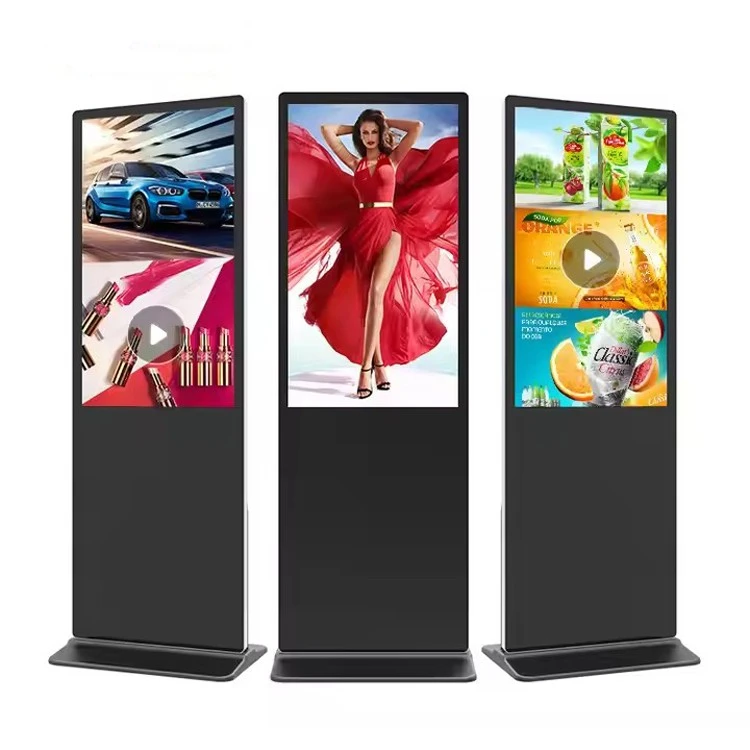

PCT touchscreens offer excellent image quality, high responsiveness, and great multi - touch capabilities. They're also very durable and can withstand a lot of use. They're commonly used in high - end digital kiosks, such as those in shopping malls, airports, and corporate lobbies.
But, as you might expect, projected capacitive touchscreens are on the pricier side. They require more advanced manufacturing processes, which drives up the cost.
So, which type of touchscreen is right for your digital kiosk? It really depends on your specific needs and budget. If you're looking for a cost - effective option that can work with gloves, a resistive touchscreen might be a good choice. If you want a highly responsive and intuitive user experience with multi - touch capabilities, a capacitive or projected capacitive touchscreen could be the way to go. And if durability and resistance to environmental factors are your top priorities, an infrared touchscreen might be the best fit.
At our company, we offer a wide range of digital kiosks with different touchscreen options. For example, our Floor Standing Digital Kiosk comes with a choice of resistive or capacitive touchscreens, depending on your requirements. And our 55 Inch Digital Kiosk Display can be equipped with an infrared or projected capacitive touchscreen for a high - end experience.
If you're in the market for a digital kiosk and need help deciding which touchscreen is best for your application, don't hesitate to reach out. We're here to assist you in making the right choice and getting the perfect digital kiosk for your business. Whether you're setting up a kiosk in a retail store, a museum, or a transportation hub, we've got the expertise to ensure you get a top - quality product that meets your needs.
So, what are you waiting for? Contact us today to start the conversation about your digital kiosk needs and let's work together to find the ideal solution for you.
References:
- Touchscreen Technology Basics, Industry Publications
- Digital Kiosk Market Research Reports