


For OEM equipment manufacturers, choosing the right open frame tablet is about more than screen size and price. The display must fit the equipment structure, support the required software, provide reliable touch control, and work with the system's power and interface design.
An open frame tablet combines a display, touch interface, and computing platform in a design intended for integration into another product. It is commonly used in self-service kiosks, industrial equipment, smart terminals, and automated control systems.
As a China-based industrial computer manufacturer, Hengstar provides OEM/ODM customization to help overseas brands, equipment manufacturers, and system integrators develop display solutions for their projects. This guide explains what to consider before choosing a supplier and how to match an open frame tablet to your application.
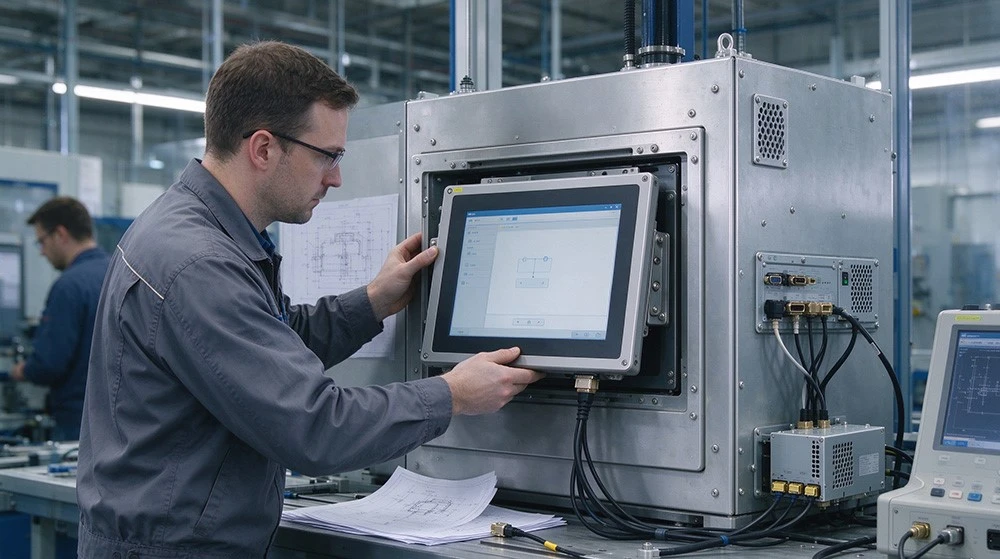
Understand Your Application Before Choosing a Tablet
The best open frame tablet depends on where and how the equipment will be used. Defining the application early helps prevent costly design changes during production.
Self-Service Kiosks and Smart Terminals
Kiosks used for check-in, information queries, ordering, and ticketing need a responsive touchscreen and a compact structure. An embedded tablet can simplify installation by combining display and computing functions in one unit.
Industrial Equipment and Automation
Industrial applications may require stable operation, suitable temperature tolerance, secure mounting, and interfaces for communication with other equipment. Consider the operating environment, vibration levels, power supply, and connection requirements before selecting a model.
Commercial and Interactive Devices
Smart retail terminals, information systems, and interactive equipment often need an easy-to-use interface and a customized front panel. Touch technology, screen brightness, and the appearance of the finished enclosure can all affect the user experience.
Choose the Right Screen Size and Display Performance
Screen Size and Installation Space
Screen size affects both user experience and equipment design. A 10.1-inch open frame tablet is a practical option for compact kiosks, embedded terminals, and control interfaces where space is limited.
Hengstar's 10.1 Inch Open Frame Android Tablet PC provides a reference design for OEM projects. Its published specifications include a 10.1-inch screen, 250 cd/m² brightness, a 1000:1 contrast ratio, and an Android 11 operating system.
Before placing an order, confirm the active display area, overall dimensions, mounting clearance, cable routing, and available space inside the equipment enclosure.
Brightness, Viewing Angle, and Touch Technology
Brightness should match the installation environment. Standard indoor equipment may work well with moderate brightness, while bright retail spaces or outdoor installations may need a higher-brightness display.
Touch technology is another important factor. Resistive touch can suit applications that require stylus or gloved operation, depending on the design. Capacitive touch is often preferred for smooth, responsive interaction.
Hengstar's reference model lists resistive, capacitive, and surface touch options. Buyers should confirm the supported configuration, touch controller, and compatibility with their application before production.
Select the Right Operating System and Interfaces
Android, Windows, or Linux?
The operating system determines which software can run on the device and how it integrates with the larger system.
Android: Suitable for kiosk interfaces, digital information systems, and applications built around Android software.
Windows: A useful option for equipment that relies on Windows applications or existing industrial software.
Linux: Worth considering for embedded systems that need a customized software environment.
Do not select a platform based on hardware specifications alone. Check application compatibility, driver support, update requirements, and the expected product lifecycle.
Check Connectivity and Power Requirements
Review the interfaces needed for peripherals, controllers, and other system components. Depending on the model, these may include USB, serial communication, video interfaces, audio, and DC power.
Hengstar's 10.1-inch reference product lists DVI, VGA, audio, USB, COM, and DC input interfaces. Its published specification gives a standard 12V DC input for the wider embedded display product range, with 9–36V optional support. Confirm the exact power configuration for the selected model.
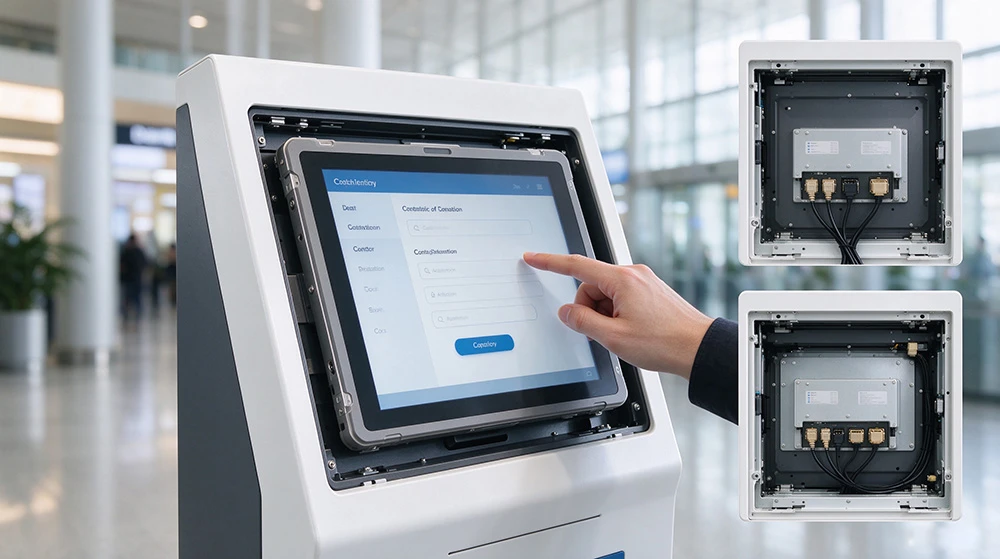
Evaluate Mounting and Environmental Requirements
Make Installation Part of the Design
An open frame tablet is designed to integrate into a larger product rather than function only as a standalone consumer tablet. The mounting structure should align with the equipment enclosure and allow practical access to cables and service components.
Common mounting approaches include:
Front or rear embedded mounting
Panel hook or bracket mounting
VESA mounting, where supported
Hengstar's reference model lists front and rear embedded mounting and optional VESA 75 × 75 mm and 100 × 100 mm patterns. Always confirm the mounting dimensions against your mechanical drawings.
Consider Temperature and Protection
Check the expected operating temperature, humidity, dust exposure, vibration, and cleaning conditions. These factors can affect the display, touch panel, connectors, and overall service life.
Some Hengstar open frame designs offer an ABS + PC front frame with a stated NEMA IP65 protection option, while the rear structure can be designed to support EMI/EMC protection. These features should not be assumed for every configuration. Confirm the protection level of the complete assembly, including openings, connectors, and installation interfaces, before deployment.
Why OEM/ODM Customization Matters
Standard products can reduce development time, but they may not meet every equipment manufacturer's mechanical, electrical, or software requirements. OEM/ODM customization helps bridge that gap.
What Can Hengstar Customize?
As an industrial computer manufacturer, Hengstar supports customized solutions based on project requirements, including:
Display configuration: Screen size, brightness, and touch technology, subject to platform availability.
Computing platform: Android-based solutions and other supported operating system configurations.
Mechanical design: Mounting methods, dimensions, and integration with the customer's enclosure.
Interfaces and power: Connection options and power configurations based on system needs.
Project integration: Technical coordination to align the display module with the target equipment.
The actual customization scope depends on the selected hardware platform, production requirements, and order quantity. Confirm feasibility, development costs, and lead times with the engineering team before finalizing the project.
How to Work with Hengstar on an OEM Project
A clear development process helps reduce delays and unexpected costs.
Define the requirements. Share the application, target market, software, screen size, operating environment, and expected order volume.
Review the design. Confirm mechanical drawings, mounting points, interfaces, power input, and touch requirements.
Evaluate a sample. Test installation fit, software operation, touch performance, and environmental suitability.
Validate the configuration. Agree on specifications, inspection criteria, and any required certifications or test reports.
Plan production. Confirm the approved configuration, quality requirements, delivery schedule, and after-sales support.
Working directly with a factory can help OEM buyers coordinate engineering changes and maintain a more consistent product configuration across production batches.
How to Compare Open Frame Tablet Suppliers
Price matters, but it should not be the only selection criterion. Compare suppliers using the same technical requirements and evaluation process.
|
Evaluation factor |
What to confirm |
|---|---|
|
Product fit |
Screen size, brightness, touch, and OS |
|
Integration |
Mounting drawings, dimensions, and interfaces |
|
Customization |
Engineering support and available options |
|
Quality |
Inspection procedures and validation records |
|
Compliance |
Applicable certifications and test evidence |
|
Supply support |
Lead time, spare parts, and after-sales service |
Ask suppliers to identify which specifications are standard and which require customization. This distinction helps you compare quotations accurately and avoid unexpected changes after ordering.