


Introduction
In industrial display projects, customers often compare open frame monitors and standard monitors, but the confusion usually comes from a simple question:
"Can I use it directly, or do I need to build a machine first?"
This is the real difference.
A standard monitor is a finished product that works immediately after unboxing.
An open frame monitor is a display module that must be built into a machine before it can be used.
This article breaks down the difference in a way that is practical for real purchasing decisions-not technical theory.
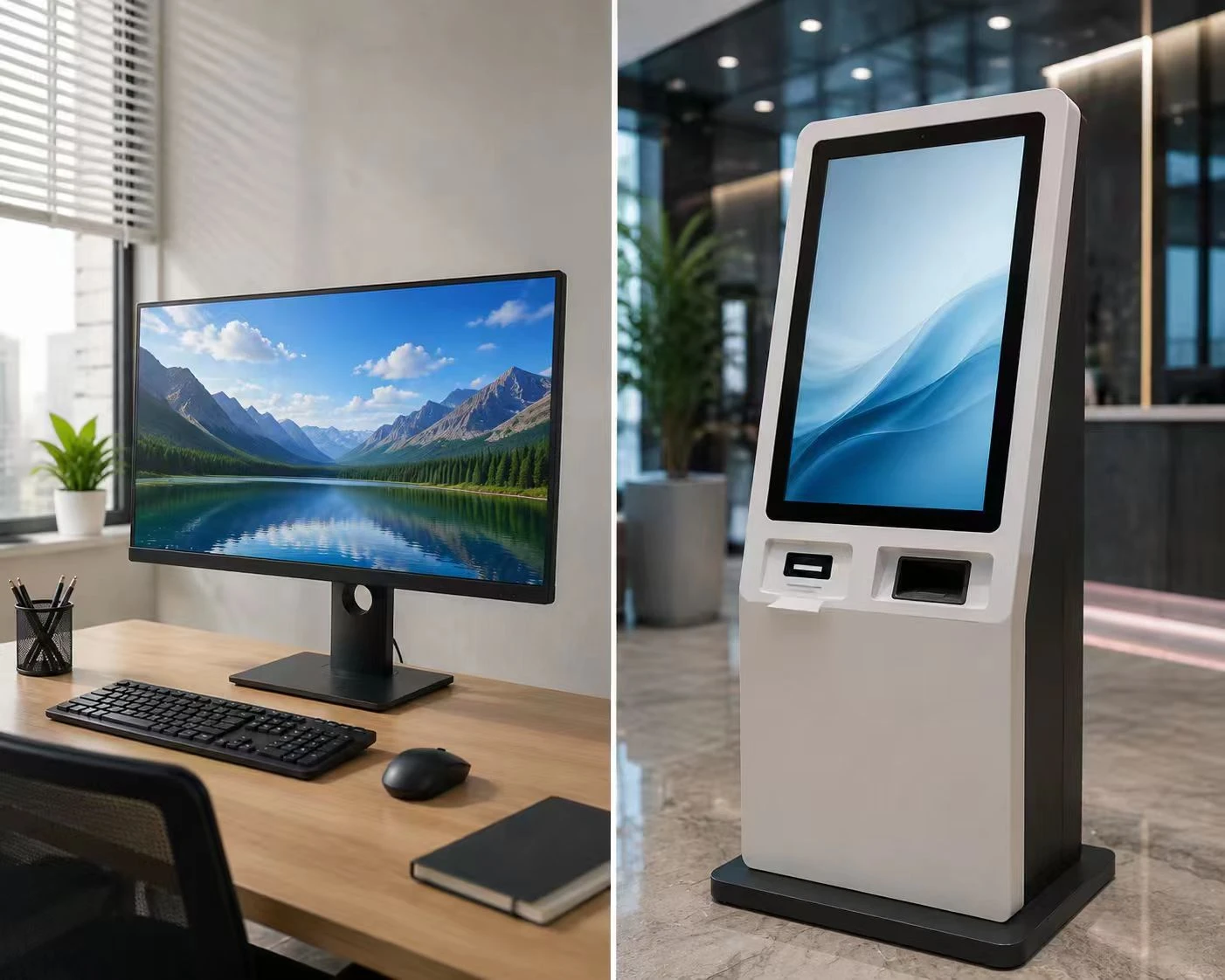
The Core Difference in One Sentence
- Standard Monitor = Buy and use immediately
- Open Frame Monitor = Build into a machine before use
Everything else is based on this.
1. What Happens After You Buy It?
Standard Monitor
Unbox → Plug power → Connect HDMI → Start using
✔ Works immediately
✔ No engineering needed
✔ No mechanical design required
You are buying a ready-to-use product
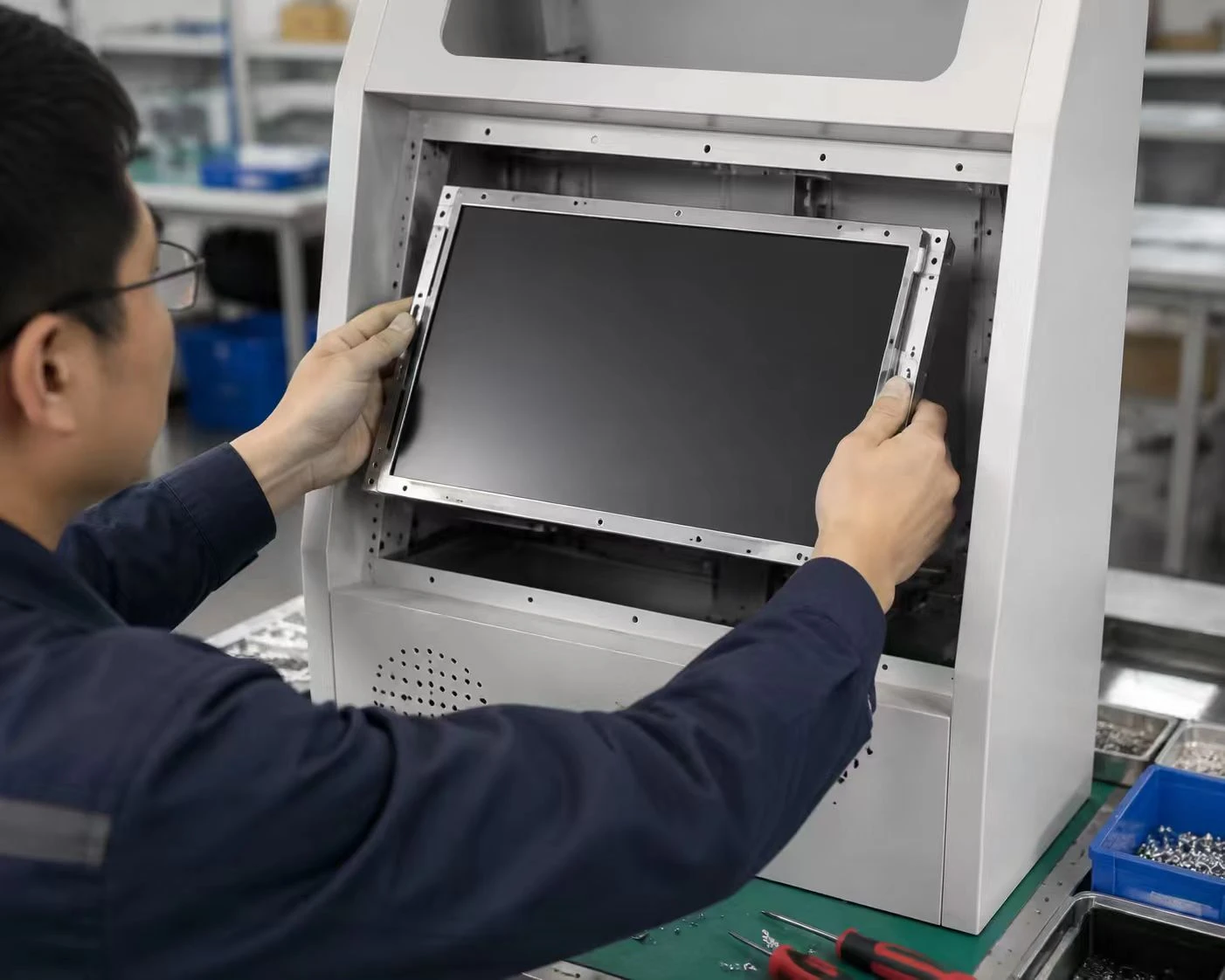
Open Frame Monitor
Product design → Cut-out design → Mechanical installation → System integration → Final machine
✔ Requires enclosure design
✔ Requires mechanical fitting
✔ Requires system integration
You are not just buying a screen-you are building a product around it
Image suggestion:
Technician installing display into kiosk frame / machine enclosure
2. Side-by-Side Comparison
|
Key Question |
Standard Monitor |
Open Frame Monitor |
|
Can I use it immediately? |
✔ Yes |
❌ No |
|
Do I need to design a machine? |
❌ No |
✔ Yes |
|
Is it a complete product? |
✔ Yes |
❌ No |
|
Is it a component? |
❌ No |
✔ Yes |
|
Installation effort |
Very low |
High |
|
Target user |
Office / consumer |
OEM / manufacturer |
|
Usage model |
Standalone |
Embedded system |
|
Engineering involvement |
None |
Required |
3. Where They Are Actually Used
Open Frame Monitor Applications
These are all machine-based systems:
- Self-service kiosks (ticketing, ordering, payment)
- Industrial control panels (HMI systems)
- Medical diagnostic equipment
- Transportation terminals (airport, metro)
- Embedded POS systems
Key idea:
The display is part of a machine, not a standalone device
Image suggestion:
Kiosk + industrial HMI + medical device collage
Standard Monitor Applications
These are user-facing environments:
- Office workstations
- Home computers
- Meeting rooms
- Retail desktop POS systems
Key idea:
The display is the final product itself
Image suggestion:
Office desk setup with multiple monitors
4. Installation Difference
Standard Monitor
- Plug HDMI
- Plug power
- Done in minutes
No technical background needed
Open Frame Monitor
- Requires panel cut-out design
- Requires mounting structure
- Requires mechanical alignment
- Requires OEM integration
This is part of product development, not usage
5. Cost Logic
Standard Monitor
- Lower upfront cost
- No engineering cost
- Simple replacement (buy new unit)
Best for:
- Short-term use
- Office environments
- Standard applications
Open Frame Monitor
- Higher initial integration cost
- Lower long-term maintenance cost
- Modular replacement possible
- Designed for long lifecycle systems (5–10 years)
Best for:
- OEM projects
- Industrial machines
- Long-term deployed systems
6. Customization Capability
Open Frame Monitor
Supports deep customization:
- Size: 7"–65"+
- Front glass bonding
- High brightness (1000–2500 nits)
- Interface options (HDMI / LVDS / eDP)
- Logo and mechanical design
Built for integration into products
Standard Monitor
- Fixed design
- Limited branding
- No structural modification
- Mass production only
7. The Real Decision Logic
Customers don't really compare specs. They think like this:
✔ If I just need a screen:
"I want something that works immediately"
→ Choose Standard Monitor
✔ If I am building a machine:
"The screen must fit into my product design"
→ Choose Open Frame Monitor
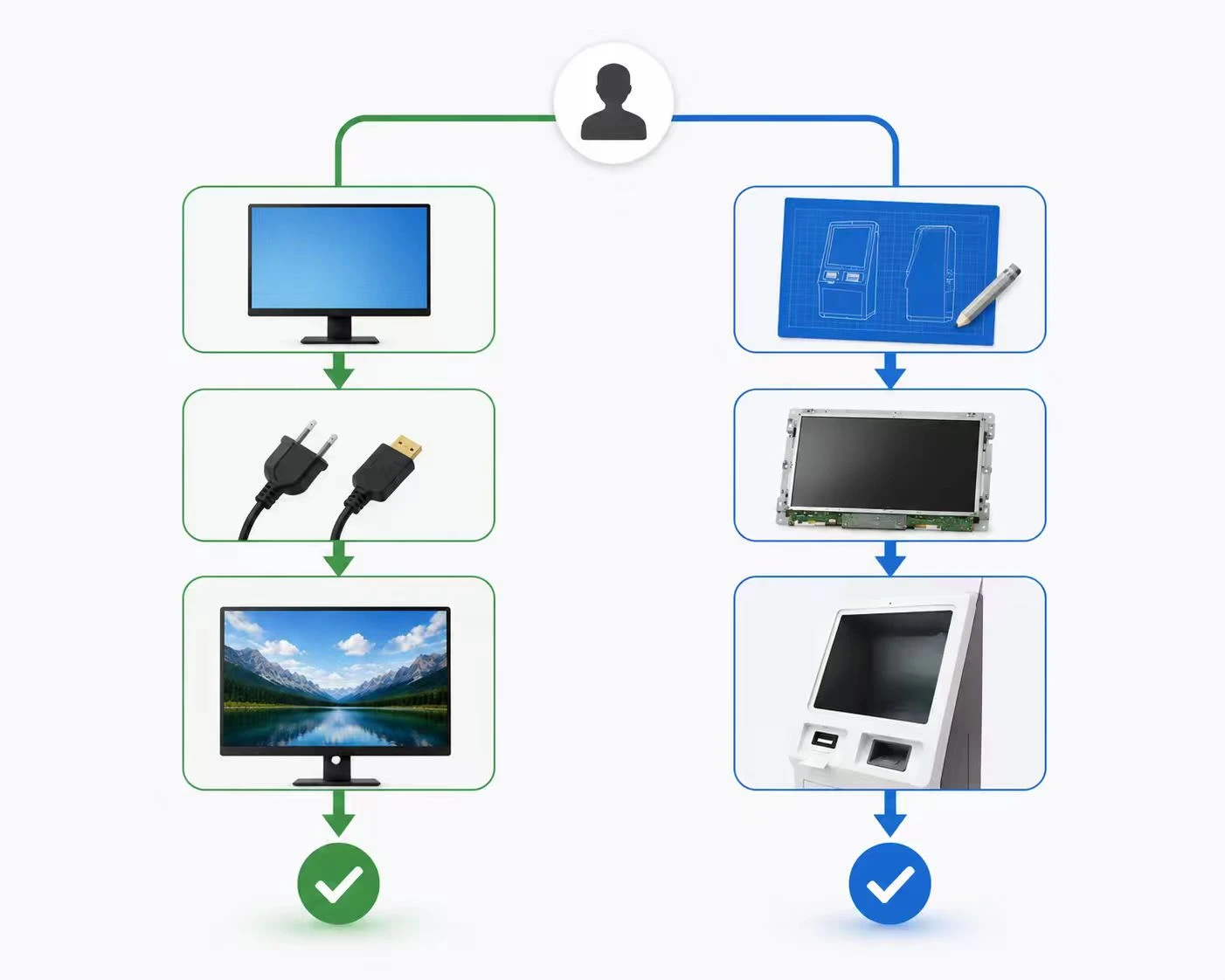
Final Summary
- Standard Monitor = Complete product (plug and play)
- Open Frame Monitor = Embedded component (system part)
Simple rule:
Buying a display → Standard Monitor
Building a device → Open Frame Monitor
References
https://www.industrial-lcd.com
https://www.eetimes.com/display-technologies
FAQ
1. What is the main difference between open frame and standard monitors?
Open frame monitors are designed to be embedded into machines, while standard monitors are standalone products used directly.
2. Can I use an open frame monitor without installing it?
No. It must be integrated into a device or enclosure before it can function properly.
3. Which one is easier to install?
Standard monitors are plug-and-play. Open frame monitors require mechanical and system integration.
4. Which is better for industrial applications?
Open frame monitors are better because they are designed for OEM systems and long-term operation.
5. Why are open frame monitors more customizable?
Because they are designed as components, not finished products, allowing changes in size, structure, and interface.
6. Is a standard monitor cheaper in the long run?
Not always. It is cheaper upfront, but may cost more over time due to full-unit replacement.
7. Can open frame monitors be used in offices?
Generally no, unless they are installed inside a custom enclosure or kiosk system.