


Image burn-in, also known as screen burn or static image retention, is a phenomenon that has long been a concern in the display industry, including LCD panels. As an LCD panel supplier, I've witnessed firsthand how this issue can impact the performance and longevity of our products. In this blog post, I'll delve into what image burn-in is on an LCD panel, its causes, effects, and how we as a supplier are addressing this challenge.
Understanding Image Burn-In on LCD Panels
To grasp the concept of image burn-in on an LCD panel, it's essential to first understand how an LCD panel works. LCD stands for Liquid Crystal Display. These panels consist of millions of tiny pixels, each containing liquid crystals that can be manipulated to control the amount of light passing through them. By varying the electrical current applied to these liquid crystals, different colors and brightness levels can be achieved, creating the images we see on the screen.
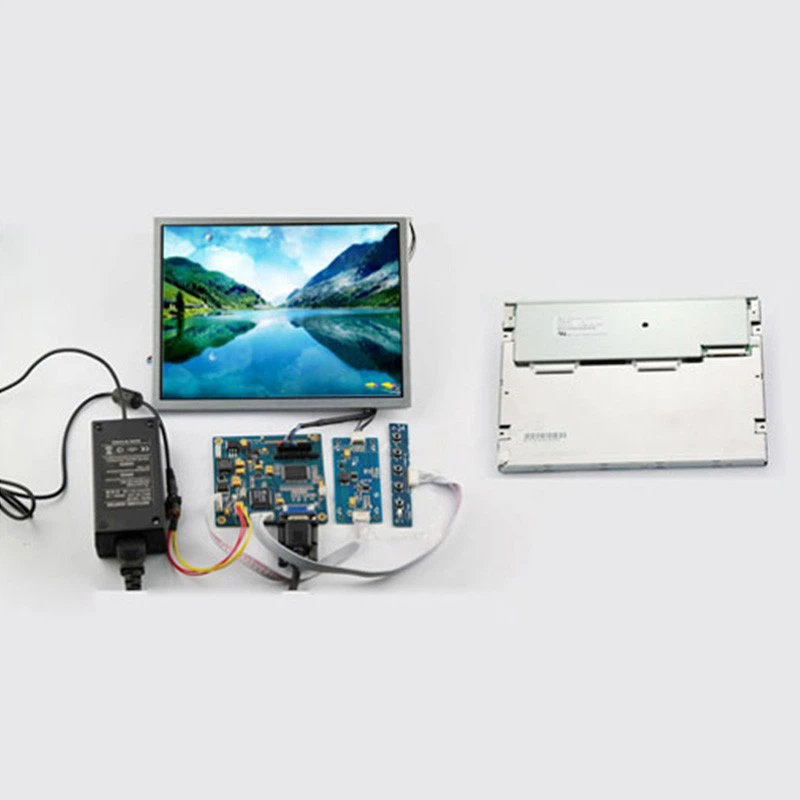

Image burn-in occurs when a static image is displayed on the screen for an extended period, causing a permanent or semi-permanent ghost image to remain on the screen even when a different image is being shown. This ghost image is often a faint replica of the previously displayed static image and can be quite distracting, especially in applications where clear and accurate visuals are crucial.
Causes of Image Burn-In on LCD Panels
There are several factors that can contribute to image burn-in on LCD panels. One of the primary causes is prolonged exposure to static images. For example, in a security monitoring system where the same camera feed is displayed on the screen for hours or even days at a time, the static elements of the image, such as the camera's overlay or the edges of the frame, can gradually become burned into the panel.
Another contributing factor is high brightness levels. When an LCD panel is operated at high brightness for an extended period, it can accelerate the degradation of the liquid crystals, making them more susceptible to image burn-in. Additionally, certain types of content, such as those with high contrast or saturated colors, can also increase the risk of image burn-in.
Effects of Image Burn-In on LCD Panels
The effects of image burn-in on LCD panels can be significant. From a visual perspective, the presence of a ghost image can degrade the overall quality of the display, making it difficult to view content clearly. This can be particularly problematic in applications such as medical imaging, where accurate visualization is critical for diagnosis.
In addition to the visual impact, image burn-in can also reduce the lifespan of the LCD panel. Once a panel has experienced image burn-in, it may no longer be able to display images accurately, leading to a decrease in its overall performance and usability. This can result in increased maintenance costs and the need for premature replacement of the panel.
How We're Addressing Image Burn-In as an LCD Panel Supplier
As an LCD panel supplier, we take the issue of image burn-in very seriously. We understand that our customers rely on our products to provide high-quality, reliable displays, and we're committed to doing everything we can to minimize the risk of image burn-in.
One of the ways we're addressing this challenge is through the use of advanced technologies and materials. We're constantly researching and developing new panel designs and manufacturing processes that are more resistant to image burn-in. For example, we're using improved liquid crystal materials that have better stability and durability, as well as advanced backlighting technologies that can help to reduce the risk of image burn-in.
In addition to technological advancements, we also offer a range of solutions and services to help our customers prevent image burn-in. For example, we provide our customers with guidelines and best practices for operating and maintaining their LCD panels, including recommendations on brightness levels, content management, and screen saver usage. We also offer custom solutions, such as anti-burn-in algorithms and dynamic content management systems, that can help to reduce the risk of image burn-in in specific applications.
Preventive Measures for Customers
While we're doing everything we can as a supplier to address the issue of image burn-in, there are also several steps that customers can take to prevent it from occurring. Here are some tips:
- Avoid prolonged static images: Try to avoid displaying static images on the screen for extended periods. If you need to display a static image, such as a logo or a menu, consider using a screen saver or rotating the image periodically.
- Adjust brightness levels: Operating your LCD panel at high brightness levels for an extended period can increase the risk of image burn-in. Try to adjust the brightness level to a comfortable level that is appropriate for your viewing environment.
- Use a screen saver: A screen saver can help to prevent image burn-in by automatically changing the image on the screen after a period of inactivity. Make sure to choose a screen saver that is designed to prevent image burn-in, such as a moving pattern or a blank screen.
- Manage content: Be mindful of the type of content you're displaying on the screen. Avoid displaying content with high contrast or saturated colors for extended periods, as these can increase the risk of image burn-in.
Our Product Range and Solutions
At our company, we offer a wide range of LCD panels to meet the diverse needs of our customers. Whether you're looking for a small, portable display for a handheld device or a large, high-resolution display for a professional application, we have the right solution for you.
One of our popular product lines is our LCD Panel Kits. These kits include everything you need to build your own LCD display, including the panel, backlight, controller board, and cables. They're a great option for DIY enthusiasts, hobbyists, and small businesses looking to create custom displays.
In addition to our standard product offerings, we also offer custom solutions to meet the specific requirements of our customers. Our team of experienced engineers can work with you to design and develop a custom LCD panel that is tailored to your exact specifications. Whether you need a panel with a specific size, resolution, or functionality, we have the expertise and resources to deliver a high-quality solution.
Conclusion and Call to Action
Image burn-in is a complex issue that can have a significant impact on the performance and longevity of LCD panels. However, by understanding the causes and effects of image burn-in and taking proactive measures to prevent it, both suppliers and customers can minimize the risk and ensure that their displays provide high-quality, reliable performance for years to come.
As an LCD panel supplier, we're committed to providing our customers with the best possible products and solutions. We're constantly investing in research and development to improve our technology and address the challenges of image burn-in. If you're interested in learning more about our products or discussing your specific requirements, we encourage you to contact us. Our team of experts is ready to assist you and help you find the right LCD panel solution for your needs.
References
- "LCD Technology: How It Works." DisplayMate Technologies.
- "Preventing Screen Burn-In on LCD Displays." TechTarget.
- "The Impact of Image Burn-In on LCD Panel Lifespan." Journal of Display Technology.