


Open frame monitors are widely used in industrial automation, self-service kiosks, medical equipment, retail terminals, and embedded systems. Unlike standard desktop monitors, they are designed to be integrated directly into equipment or custom enclosures. Their long-term performance depends not only on product quality but also on proper installation, regular maintenance, and operating conditions.
For OEM manufacturers, equipment integrators, and B2B buyers, unexpected display failures can lead to production downtime, higher maintenance costs, and customer complaints. A well-planned maintenance routine helps extend the service life of an open frame monitor while keeping its display quality and touch performance stable.
So, how can you maintain an open frame monitor for long-term operation? Here are practical maintenance tips to help protect your investment and reduce the risk of failure.
Keep the Display Surface Clean and Protected
Use the Right Cleaning Method
Dust, fingerprints, oil, and other contaminants can build up on an open frame monitor over time. If they are not removed properly, they may affect screen visibility and touch accuracy.
To clean the display safely:
- Turn off the monitor and disconnect the power before cleaning.
- Use a soft, lint-free microfiber cloth.
- Apply a suitable screen cleaner to the cloth rather than spraying liquid directly onto the display.
- Avoid alcohol, ammonia, or strong chemical cleaners unless the manufacturer confirms they are compatible with the screen coating.
- Never use rough cloths or abrasive materials that may scratch the surface.
For touch-enabled open frame monitors, regular cleaning is especially important because dirt and oil can affect the user experience.
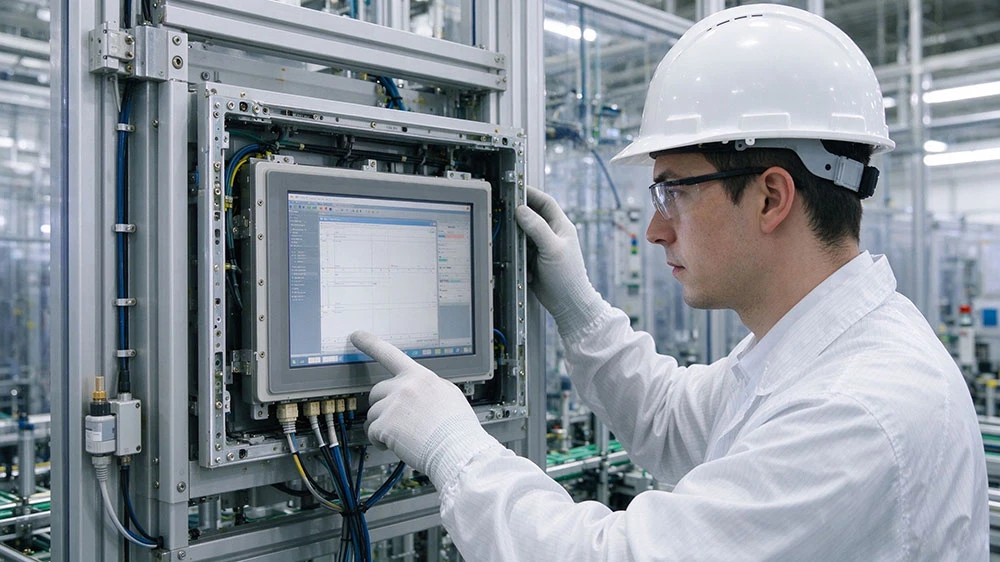
Protect the Touchscreen from Physical Damage
Many industrial open frame monitors use capacitive or resistive touchscreens. Avoid pressing the screen with sharp tools, excessive force, or unsuitable gloves.
If the monitor is installed in a public kiosk or industrial control system, consider protective glass or a suitable surface treatment to reduce scratches and impact damage.
Control Temperature and Ventilation
Prevent Overheating
Heat is one of the main factors that can shorten the service life of electronic components. Open frame monitors are often installed inside kiosks, cabinets, or industrial equipment where airflow may be limited.
Poor ventilation can cause excessive internal temperatures, leading to backlight degradation, unstable operation, or electronic component failure.
To reduce heat-related risks:
- Leave enough space around ventilation openings.
- Keep cooling fans and air vents free from dust.
- Avoid placing heat-generating components too close to the display.
- Check the internal temperature of enclosed equipment during operation.
- Use additional cooling when the installation environment requires it.
Check the Operating Temperature Range
Before installation, confirm that the monitor's operating temperature range matches the actual environment.
For equipment used in factories, outdoor terminals, or other demanding locations, a wide-temperature industrial open frame monitor may be a better choice than a standard commercial display.
Buyers should also check whether the specified temperature range applies to the complete monitor or only selected components.
Inspect Cables and Electrical Connections Regularly
Check Power and Signal Cables
Loose connections, damaged cables, and unstable power supplies can cause flickering, signal loss, unexpected shutdowns, or a blank screen.
During routine inspections, check:
- Power cables for cracks, bending, or worn insulation.
- HDMI, VGA, USB, and other signal connectors for looseness.
- Connector terminals for corrosion or contamination.
- Cable routing for excessive tension or repeated movement.
- Power supplies for stable output and suitable specifications.
For industrial installations, secure cables properly to prevent vibration from loosening connections.
Protect the Monitor from Electrical Problems
Voltage fluctuations, electrical surges, and poor grounding can damage sensitive electronic components.
Use a power supply that matches the monitor's rated voltage and current. Where necessary, add suitable surge protection and grounding measures.
For OEM projects, discussing power requirements and electrical protection during the design stage can help prevent problems after installation.

Prevent Dust, Moisture, and Environmental Damage
Open frame monitors are often installed in environments where dust, moisture, oil, and other contaminants are present.
Although some industrial models offer front-panel protection, this does not automatically mean the entire monitor is waterproof or dustproof.
Check the Protection Level
Before choosing a cleaning or maintenance method, confirm the monitor's IP rating and protected areas.
For example, an IP65-rated front panel generally provides protection against dust and water jets from specified directions under defined test conditions. However, the rear housing and connectors may have different protection levels.
If the monitor is used in food processing, marine equipment, or outdoor applications, inspect seals, gaskets, and cable connections regularly.
Avoid Excessive Moisture
Do not allow cleaning liquids or water to enter ventilation openings, connectors, or the rear housing.
If condensation appears inside the enclosure, investigate the cause. Temperature changes, poor sealing, and inadequate ventilation may contribute to moisture buildup.
Check Mounting Structure and Mechanical Stability
Inspect Mounting Brackets and Fasteners
Open frame monitors are commonly installed using mounting clips, screw holes, or VESA brackets. Over time, vibration and mechanical stress may loosen mounting hardware.
Regularly check:
- Mounting screws and brackets.
- Panel cutout dimensions and fitting pressure.
- Frame alignment and structural support.
- Signs of vibration or mechanical deformation.
Avoid overtightening screws, as excessive pressure may damage the frame or LCD panel.
Reduce Vibration and Impact
In industrial automation and transportation equipment, continuous vibration can affect connectors, internal components, and mounting structures.
Choose suitable shock-absorbing materials or reinforced mounting solutions when required. For demanding applications, consider industrial-grade monitors designed for vibration and shock resistance.
Monitor Display Performance and Identify Problems Early
Regular performance checks help identify small problems before they become serious failures.
During scheduled inspections, look for:
- Brightness changes or uneven backlighting.
- Dead pixels or unusual display lines.
- Flickering or intermittent signal loss.
- Touchscreen response delays or inaccurate touch points.
- Unusual noise or excessive heat.
- Unexpected restarts or power interruptions.
Keep a maintenance record that includes inspection dates, operating hours, reported issues, and repair history.
This information helps maintenance teams identify recurring problems and plan replacement parts before a failure affects production.
Follow the Manufacturer's Maintenance Recommendations
Not every open frame monitor has the same structure, components, or protection level. Maintenance requirements may vary depending on screen size, touch technology, backlight design, operating temperature, and installation method.
Always follow the manufacturer's instructions for cleaning, inspection, and component replacement.
For OEM and ODM projects, buyers should also ask about spare parts availability, technical support, warranty coverage, and expected product lifecycle. These factors are important when planning long-term equipment maintenance.
At Hengstar, we focus on industrial computers and display solutions, providing OEM services for European and American brands. Customization options can include display size, touch technology, mounting structure, operating system, and interface configuration. Working with the manufacturer during the design stage helps ensure that the monitor meets the application's installation and maintenance requirements.
Conclusion
Maintaining an open frame monitor is not complicated, but it requires consistent attention. Regular screen cleaning, temperature control, cable inspection, environmental protection, and mechanical checks can help reduce failures and extend product service life.
For B2B buyers, maintenance should be considered before purchasing, not after problems occur. Choosing an industrial-grade open frame monitor with suitable protection, reliable components, and manufacturer support can make a significant difference in long-term operating costs.
A reliable monitor combined with proper maintenance is a practical way to protect equipment performance and keep industrial systems running smoothly.
Frequently Asked Questions (FAQ)
1. How often should an open frame monitor be maintained?
For most industrial applications, a basic visual inspection should be performed regularly, with a more detailed inspection scheduled monthly or quarterly. However, monitors operating in dusty, humid, or high-temperature environments may require more frequent maintenance.
2. What are the most common causes of open frame monitor failure?
Common causes include overheating, dust accumulation, unstable power supplies, loose cable connections, excessive vibration, and moisture entering the enclosure. Improper screen cleaning can also damage the display surface or touch layer.
3. How can I extend the service life of an industrial open frame monitor?
Choose a monitor designed for your operating environment, ensure proper ventilation, use a stable power supply, clean the screen correctly, and inspect mounting structures and connections regularly. Following the manufacturer's maintenance recommendations is also important.
References
Kontron – Open Frame Monitor User Guide: Storage, Transportation and Maintenance. https://www.kontron.com/
ASUS – How to Clean LCD/OLED Panels and Monitors
HP – How to Properly Clean Your Monitor Screen
Eaton – Enclosure Ratings and IP Protection Levels