


Industrial embedded panel PCs in medical equipment bring the display, touch controls, and computer into one unit. In ultrasound systems, they can present images and settings. In laboratory analyzers, they help staff manage samples and check progress. In rehabilitation equipment, they show exercises and let therapists adjust programs.
For equipment brands and manufacturers, the right choice depends on the job. Image quality, touch accuracy, cleaning resistance, and long-term supply can matter as much as processor speed. This guide explains what to check for each application.
Why Use an Embedded Panel PC in Medical Equipment?
An embedded unit fits into the equipment enclosure. This lets engineers place the screen where users need it, while keeping cables and mounting hardware inside the machine. A flush front can also support a surface that is easier to wipe.
On a laboratory analyzer, the screen should remain visible when the sample door opens. On a rehabilitation machine, its angle should suit both a standing therapist and a seated patient. Check mounting tolerances, seal compression, cable clearance, cooling, and service access before the enclosure design is fixed.
Define what happens if the panel PC stops working. A frozen interface or operating system restart must be considered in the equipment risk assessment. Safety-related control may require a separate controller or other protection, depending on the design.
If the equipment already has a computer, an embedded touch monitor may be enough. Choose a full panel PC when local processing is needed.
Ultrasound and Endoscopy: Match Display Quality to the Image
Resolution, brightness, and image detail
A 1920 × 1080 display can be a starting point for some equipment interfaces. Suitability depends on the image source, screen size, viewing distance, and software layout. Higher resolution cannot recover detail missing from the source signal.
For some indoor control screens, roughly 300–500 cd/m² is a useful sample evaluation range, not a universal medical requirement. Check reflections, black levels, and brightness across the screen. High maximum brightness alone does not guarantee clear dark details.
Diagnostic image viewing needs its own performance and quality-control criteria. DICOM Part 14 defines a Grayscale Standard Display Function that can support consistent grayscale presentation. Meeting that response alone does not prove diagnostic suitability.
Refresh rate and total delay
Panel response time, refresh rate, and total system delay measure different things. A 60Hz screen refreshes about 60 times per second, but camera capture, processing, buffering, and transmission add delay.
For live imaging, assess the complete system. Look for motion blur, dropped frames, and lag during representative movement. Do not judge performance from the panel's response-time figure alone.
Patient Monitoring: Keep Data Readable and Current
Monitoring screens show values, waveforms, trends, and alarm states together. Staff may view them from the bedside or from an angle. Test the actual interface under daytime and nighttime lighting.
|
Quality factor |
What to verify |
|
Viewing angle |
Values and waveforms remain readable from normal staff positions. |
|
Dimming range |
Low-light settings remain clear without distracting glare or flicker. |
|
Brightness uniformity |
No area makes important information harder to read. |
|
Continuous operation |
No unexplained blank screens, flashing, or restarts. |
|
Data status |
Lost communication or stale data is clearly identified. |
A lit screen does not prove that its data is current. Software should detect communication failures and handle stale information as designed. Alarm presentation must also be assessed as part of the complete alarm system. IEC 60601-1-8 may apply to the equipment; bright colors alone are not an alarm strategy.
Laboratory Analyzers: Prioritize Touch, Data, and Connections
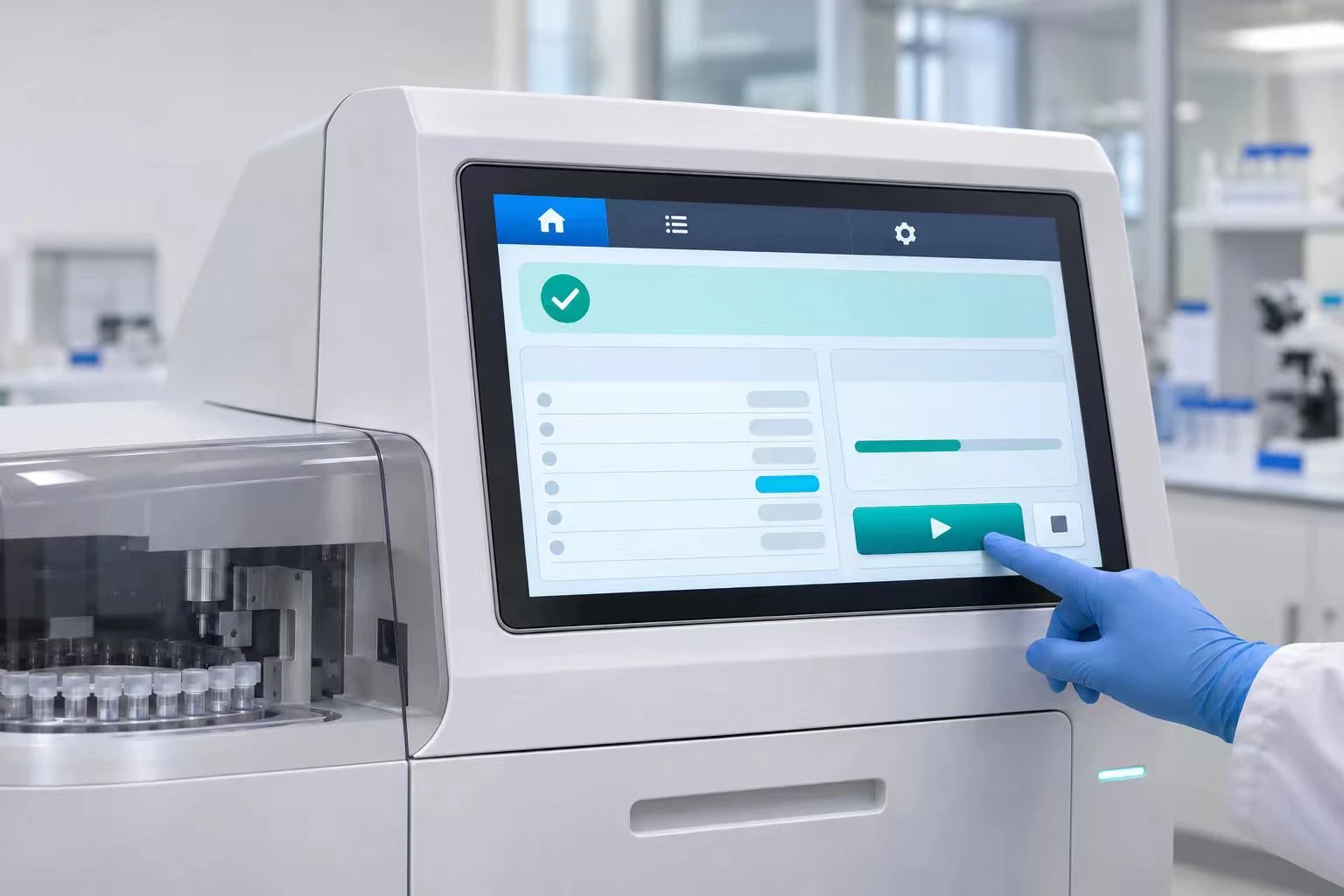
Test touch with the actual gloves
Projected capacitive touch performance depends on the glass, sensor, controller settings, grounding, and electrical noise. Specify glove material and thickness, including double gloves where relevant.
Test taps, dragging, screen-edge controls, and cleaning mode. Define what should happen with moisture: continued operation, rejected touches, or a prompt to dry the screen. Reliable input matters more than a high multi-touch count.
Size the computer for the workload
Run the real software with logging, database writes, network traffic, and connected devices active. Check response time, memory use, storage growth, and recovery after an unexpected power loss.
SSD capacity is only one factor. Review write endurance and power-loss protection where required. Storage hardware, the file system, and application transactions must work together to protect records.
Check more than the connector name
For RS-232, RS-485, USB, and Ethernet, confirm pin assignments, protocols, drivers, cable lengths, grounding, and any isolation needs. Laboratory and in vitro diagnostic equipment may fall under relevant IEC 61010 standards. Do not assume every medical application follows the IEC 60601 series.
Rehabilitation Equipment and Medical Carts: Check Mechanics and Heat
Rehabilitation screens may serve both therapists and patients. Choose size and position around viewing distance, reach, and the task. Where motors are present, check vibration, cable movement, and electrical interference.
For medical carts, weight and mounting affect stability. Measure typical and peak power with the intended brightness and peripherals. Adapter wattage alone cannot predict battery runtime.
Fanless designs reduce fan maintenance, but still need a reliable heat path. Test inside the final enclosure at expected ambient temperatures. Record component and surface temperatures, and check for thermal throttling. An open-bench test cannot establish enclosed-system thermal performance.
Turn Quality Claims into Acceptance Criteria
Replace broad terms such as "durable" and "medical grade" with requirements that both buyer and supplier can verify.
|
Area |
Define before sample approval |
|
Display |
Resolution, brightness range, uniformity method, and pixel-defect limits. |
|
Touch |
Gloves, tasks, moisture conditions, and error criteria. |
|
Cleaning |
Products, concentrations, contact times, cycles, and failure criteria. |
|
System testing |
Enclosure, workload, temperature, duration, and recovery checks. |
|
Supply control |
Key component versions, change notices, and end-of-life planning. |
IP protection and disinfectant resistance are separate properties. A front IP65 rating applies only to its stated surfaces and installation conditions. It does not prove compatibility with alcohol, chlorine-based products, or other cleaners. Check glass coatings, seals, adhesives, and touch performance after repeated cleaning. Relevant reusable devices need supported reprocessing instructions.
Match test reports to the delivered model and configuration. Power supplies, panels, boards, or firmware changes can affect previous results. IEC 60601-1 and IEC 60601-1-2 may be relevant to medical electrical equipment safety and electromagnetic compatibility. Component evidence supports, but does not replace, finished-device assessment.
Finally, involve intended users in sample evaluation. Engineers who know the system may miss problems that appear during normal clinical tasks.
Contact Hengstar for a Custom Medical Equipment Display Solution
Hengstar is a Chinese manufacturer focused on industrial displays and all-in-one computers, serving overseas brands, wholesalers, and equipment manufacturers.
Contact Hengstar to discuss an embedded display or panel PC configuration for your project. Share the application, mounting drawings, software workload, touch and cleaning needs, target markets, and expected quantities.
Use the technical review to confirm available options, required evidence, sample acceptance criteria, and supply arrangements. Send your project brief to start a discussion about a solution that fits your equipment.
FAQ
Is an embedded panel PC always better than a separate monitor?
No. Use a panel PC when local computing is needed. An embedded monitor may suit equipment with an existing host. Compare service access, cooling, and failure handling.
Does medical imaging require 4K?
Not always. Source detail, screen size, viewing distance, and intended use determine the need. Resolution does not replace grayscale or quality-control requirements.
Does "medical grade" prove suitability?
No. Check the exact model, configuration, test evidence, and intended use against the finished equipment's requirements.
Is optical bonding always the best choice?
It can reduce internal reflections. Also assess adhesive aging, temperature exposure, repair options, and cost for the application.
How should long-term operation be tested?
Run representative software and peripherals inside the equipment. Record temperatures, resource use, display faults, touch errors, and communication failures against agreed criteria.
What do buyers often overlook?
Common gaps include cleaning conditions, real glove use, power-loss recovery, stale-data handling, and component change control.
References
[1] FDA - Reprocessing Medical Devices in Health Care Settings: Validation Methods and Labeling
[2] FDA - Electromagnetic Compatibility (EMC) of Medical Devices
[3] FDA - Applying Human Factors and Usability Engineering to Medical Devices
[4] IEC - Official standards catalogue (search the applicable IEC 60601 or IEC 61010 part)